
Deep Dive: Claude Code Best Practices You Should Be Using

👋 Hey, Shruti here! Welcome to another issue of my weekly Frontend and AI roundup. Each week, I focus on the 5 stories that are most impactful for engineers building in production. Paired with things worth watching and the releases you can’t miss, it’s your one stop for everything in the world of Frontend and AI. If you’re new here, welcome to a community of 4,700+ frontend engineers who care about shipping real things:
1️⃣ Deep Dive: 5 Claude Code Best Practices I Have Adopted After a Year of Daily Use
I’ve been using Claude Code for over a year now. I’ve gone from amateur prompts like “Build a React component that fetches and displays a list of all my videos from my YouTube channel” to using Claude like a Senior Engineer, utilizing memory and skills, with guardrails and hooks in place, so the code that comes out isn’t just functional, it’s maintainable and accessible too.
In today’s deep dive, we’re going to look at the 5 best practices I’ve adopted over the last year. You can watch this in a video format as well:
1. Start in plan mode, not implementation mode
Before any code gets written, I want Claude to work like an engineer: gather requirements, state assumptions, and propose an architecture and code structure I can review. Hit shift+tab to enter Plan Mode, or just tell Claude to “think it through” before doing anything. In plan mode, Claude maps out an approach and flags edge cases instead of guessing at them.
2. CLAUDE.MD as permanent memory
Claude has no memory between sessions. If you are working in the same repo and starting sessions again and again (which you should to keep context clean), it is frustrating to start from scratch. This is where CLAUDE.md comes in.
CLAUDE.MD is how you give Claude memory and context to your codebase. This file lives in your project root and Claude reads it automatically at the start of every session. Mine covers the common bash commands for the project, the stack (React, TypeScript, Next.js App Router, TanStack Query), code style rules like no default exports and no inline styles, the architectural decisions behind why we picked X over Y, and hard rules like never committing secrets.
Whenever Claude gets something wrong, that’s the trigger to add a line to this file immediately, so the same mistake doesn’t repeat. The file evolves with your mistakes. You can also prompt Claude to update your CLAUDE.md as you make progress.
3. MCP and skills for uplevelling Claude
Skills and MCP servers extend the knowledge and tools Claude has access to. For frontend development, here are the top skills and MCPs I use:
Vercel’s React best practices skills, for ensuring code follows React best practices
Fallow skill, which keeps code clean and maintainable as AI writes it
Figma MCP, which lets Claude pull in a component design and implement against it, producing high fidelity output
CodeRabbit MCP server, which catches issues before they reach a human reviewer at all
4. Keep context clean and compacted
/clearstarts a fresh context, and you want this every time you switch tasks./compactsummarizes the whole conversation and uses that summary to seed the next window, which is what you want when you need continuity but the window is getting long.Subagents hand off research or large file reads to a separate process instead of loading everything into your main session, and they’re the most underused of the three.
5. Hooks for what must never be skipped
CLAUDE.md is advisory. Claude follows it most of the time, not all of the time. Anything that has to run on every single edit goes in a hook instead. Hooks are shell commands that fire automatically after Claude edits a file, and they’re deterministic, so they can’t be skipped. I run Prettier on every save, a TypeScript check after every edit, and ESLint on changed files. A PreToolUse hook can also block destructive commands outright, like catching an rm -rf before it ever executes.
{"hooks": {"PreToolUse": [{
  "matcher": "Bash",
  "type": "command",
  "command": "if echo \"$TOOL_INPUT\" | grep -qE 'rm -rf|drop table|truncate'; then echo 'BLOCKED: destructive command' >&2; exit 2; fi"
}]}}
Watch the full video to see the full before-and-after demo, the CLAUDE.md template I use, and the hooks running in a real project.
🔥Sponsor - WebStorm by JetBrains

If you’re building with Claude Code inside an IDE, WebStorm has first-class Claude Code integration built in, no separate plugin juggling required. It’s the JavaScript and TypeScript IDE I reach for when a project gets too complex for a lighter editor.
Use code “SHRUTI” to get 3 months of WebStorm for free.
⚡ Quick Hits
2️⃣ refs now coming to Fragments in React, React Team
If you have ever wanted to gain access to the children inside a Fragment, you know the usual workaround: swap the <Fragment /> for a <div />. Not anymore. Fragments are gaining support for ref, giving you a FragmentInstance you can use to attach event listeners or manage focus across a group of elements, all without adding a wrapper node to the DOM.
const fragmentRef = useRef(null);

//gain access to fragmentRef
<Fragment ref={fragmentRef}>
      {children}
  </Fragment>


//add event listeners to fragmentRef
const fragmentRef = useRef(null);
const fragmentInstance = fragmentRef.current;
fragmentInstance.addEventListener('click', onClick);
3️⃣ Introducing the MDN MCP server, Mozilla team
An exciting release: the Mozilla team launched a new MCP server that brings MDN’s documentation and browser compatibility data right into your AI agent or IDE. No more switching tabs to check MDN. This is a great way to keep documentation inside Claude Code itself instead of relying on a model that may not know whether a feature like the @view-transition CSS at-rule exists yet, or whether it’s reached “Widely Available” baseline.
Here’s how you can add it to Claude Code -
claude mcp add --transport http mdn <https://mcp.mdn.mozilla.net/>
This ties back to today’s deep dive: giving Claude Code access to the right MCP servers is what makes its output more deterministic and higher quality.
4️⃣ TanStack Start: A Mental Model for Next.js Developers, Adarsha Acharya
Adarsha shares a mental model for comparing TanStack Start with Next.js, especially if you’re coming from Next.js.
In Next.js, a Server Component is server-only by definition. You fetch data inside it and the data never reaches the client bundle. TanStack Start’s route loaders look the same but they have one big difference - they’re isomorphic, running on the server during SSR and in the browser on client-side navigations. If you put a database call or an env var straight in a loader, it will run client-side, and ship the value to the browser. 💩
👉 Next.js: components are Server Components by default → opt into client (”use client”)
👉 TanStack Start: components are isomorphic React by default → opt into server (createServerFn)
In Next.js, the question is “does this component need to run on the client?” In TanStack Start, the question is “does this logic need to run only on the server?”
This is the clearest framing I’ve seen of why TanStack Start trips up Next.js developers. Worth checking out if you’ve been confused about how TanStack Start compares to Next.js.
5️⃣ Vercel launches Eve - framework for building agents
Vercel shipped a new framework for building agent. It uses the same file-based conventions as Next.js, but applied to agents instead of routes.
An agent is just a directory. Drop in an instructions.md and you already have a working agent.
agent/
  instructions.md
  agent.ts
  tools/
    get_weather.ts
From there, the directory does the configuring. An agent.ts file picks the model. A skills/ folder holds markdown playbooks that get loaded only when relevant, so the agent isn’t carrying every instruction in every prompt. A tools/ folder turns a TypeScript file into a callable tool automatically. channels/ connects the same agent to Slack, Discord, Teams, or the web without rewriting it per surface, and connections/ handles auth to services like GitHub, Stripe, and Linear so tools can call them without managing tokens directly.
npx skills add vercel/eve
👋 FROM MY DESK
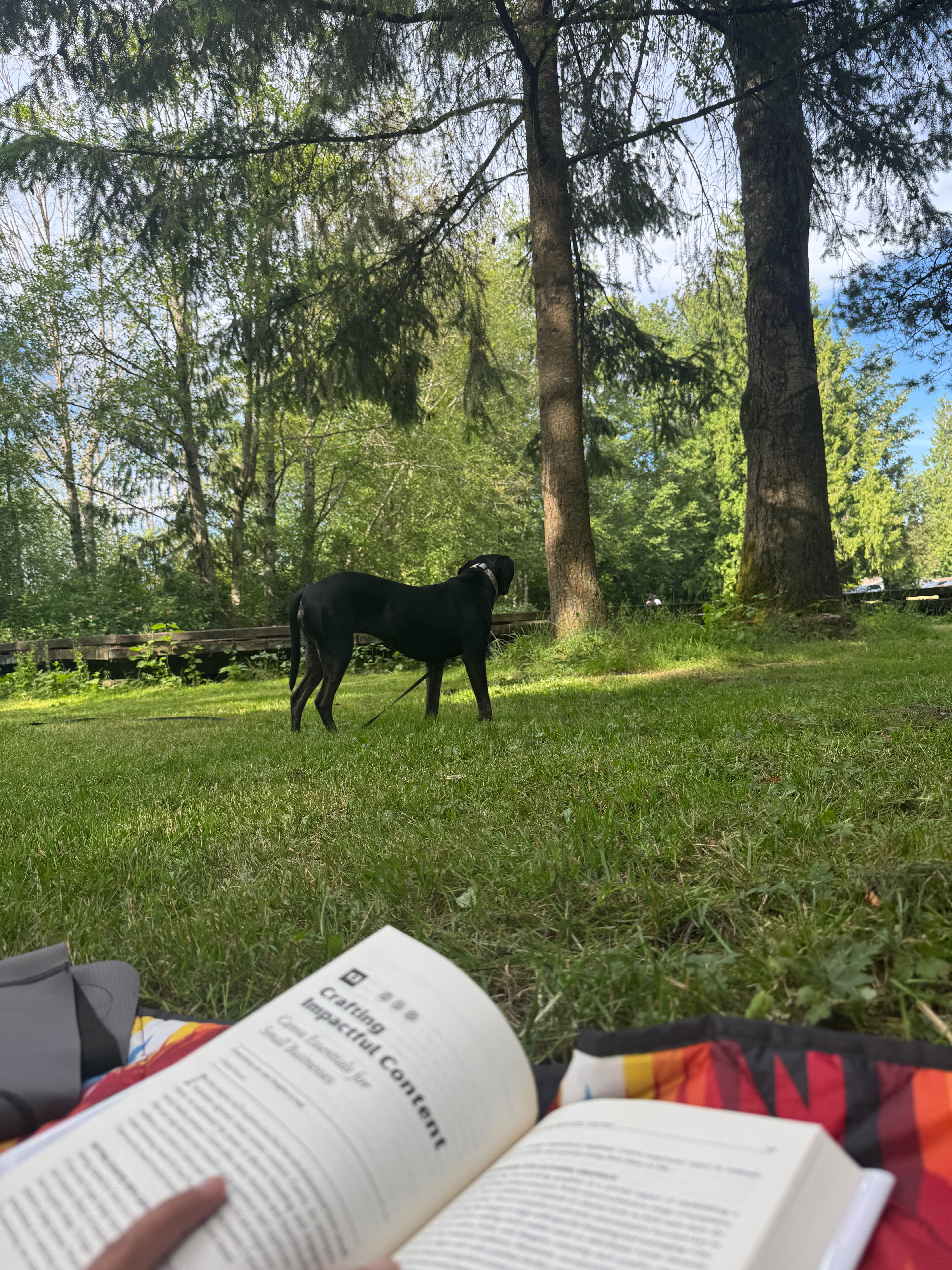
Here’s a picture from a picnic day I took yesterday while sitting in the park, reading my book, and watching my dog, Pepper protect me from danger aka squirrels 🐿️.
How about you? When was the last time you went on a picnic? What do you like to do on a picnic?

Also, let’s be friends on Instagram!
❤️ Enjoyed this newsletter?
Give this issue a ❤️ and restack it so someone can benefit from this knowledge. It helps more people find this.